Wednesday, June 21, 2006

Gamma, Again! (Part II)

In Gamma, Again! (Part I) I tried to show that gamma is an important characteristic of a television display or computer monitor. Now I'd like to show why and how it might be manipulated.

To recap, gamma is a number, usually in the range of 1.8 to 2.5 (or so), that describes how changes in a display's luminance or light output, L, track with changes in its input video signal level, V. V may be expressed in millivolts, in IRE units from 0 to 100, or in code values from 0 to 255 (or 16 to 235). Luminance can be measured in foot-Lamberts (ft-L) or candelas per square meter (cd/m2).

Specifically, gamma is the exponent or power-of-V in this functional relationship between V and L:

L = VƔ

As such, when this function is plotted on log-log axes, the result is a straight line(!) with gamma as its slope. The larger gamma is, the steeper the graph's slope ... and the greater the "apparent" image contrast on the screen.

I say "apparent" because gamma doesn't make blacks any blacker or whites whiter. But at signal levels in between o-IRE reference black and 100-IRE peak white, increased display gamma makes us perceive shadows as being "deeper" or "darker." Conversely, if display gamma is decreased, the image appears "flatter," in terms of its "contrast," even as the overall "brightness" of the image goes up.

So what is the "correct" gamma for a display?

That simple question does not, unfortunately, have a simple answer. Rather, there are several possible answers.


The process of answering this question begins with noting that, historically, the concept of display gamma began as a concession to an operating characteristic of the cathode ray tube, or CRT. The familiar color "picture tube" in use today has three electron guns, one for each primary color: red, green, or blue. Each gun fires a beam of electrons at phosphors of the appropriate hue on the inner surface of the face of the tube, exciting the phosphors and making them emit colored light. The more electrons that are fired per unit of time, the brighter the phosphors glow.

An electron gun fires when and if a voltage is applied across its individual cathode and the common, positively charged grid inside the neck of the picture tube. But, crucially, the number of electrons fired per unit of time is not a linear function of the applied voltage. This is where the original idea of a gamma exponent comes in. It characterizes the mathematical relationship that determines the rate of an electron gun's firing as a function of its applied voltage.

As such, the fixed value of gamma in a modern CRT is typically 2.5, according to Charles Poynton in his book Digital Video and HDTV: Algorithms and Interfaces.

However, writes Poynton (p. 268), "The FCC NTSC standard has, since 1953, specified R'G'B' encoding for a display with a 'transfer gradient (gamma exponent) of 2.2'."


Let's break that down into smaller chunks. First of all, NTSC stands for National Television System Committee. In 1953, under the aegis of the Federal Communications Commission (FCC), the NTSC promulgated the television standard that is still in use today for standard-definition television transmissions in the U.S.A. These SDTV signals, also known in today's parlance as 480i, are in full color, though in 1953 color television was yet a brand new technology, still awaiting implementation.

Gamma correction is applied by broadcasters to the NTSC signal in the following way. Three color primaries, R (for red), G (f0r green), and B (for blue), are produced by the image sensor of a video camera. These three signals are immediately altered to, respectively, R', G', and B'. This is done by means of applying a mathematical transfer function whose exponent, the encoding gamma, is roughly the reciprocal of the display's inherent decoding gamma.

Later, R', G', and B' are matrixed at the TV studio to form Y', Pb, and Pr. The "black and white" part of the signal is, accordingly, gamma-corrected Y', or luma. Pb is actually(B' - Y'). Pr is (R' - Y'). From these three transmitted video "components" the television receiver will be able easily to recover B' and R'. It can also derive (G' - Y') and thus G' itself.

Once the television receiver has recovered R', G', and B', it uses each as a voltage to drive the CRT's appropriate electron gun directly (assuming, that is, that it is a CRT). Since the picture tube is intrinsically nonlinear, as reflected in its native decoding gamma exponent of 2.5, in effect R', G', and B' are automatically turned back into R, G, and B at the face of the cathode ray tube itself!


But what's this about a "transfer gradient (gamma exponent) of 2.2"? Shouldn't that be 2.5, in view of the fact that "modern CRTs," per Poynton (p. 268), "have power function laws very close to 2.5"?

For the encoding gamma used by broadcast TV stations when they gamma-correct their signals, the reciprocal of the decoding gamma is, supposedly, typically used. So if 2.2 is assumed to be the display's decoding gamma — not 2.5 — the encoding gamma becomes 1/2.2, or 0.45. If a decoding gamma of 2.5 is assumed, on the other hand, the encoding gamma would nominally be 1/2.5, or 0.4.

Poynton, however, advises not taking this discrepancy "too seriously." For one thing, "the FCC statement," says Poynton, "is widely interpreted to suggest that encoding should approximate a power of 1/2.2," in spite of a decoding exponent that may be (and is) other than 2.2.


According to Dr. Raymond Soneira's four-part series, "Display Technology Shootout," published in Widescreen Review magazine, Sept.-Dec. 2004, studio CRT monitors used in tweaking video images before they are broadcast or rendered on DVD typically have decoding gammas of 2.2, not 2.5. "Current CRTs," he writes in the second part of his series (in WR, Oct. 2004, p. 68) typically have a native gamma in the range of 2.3 to 2.6, so the gamma of 2.20 for Sony (and Ikegami) CRT studio monitors is actually the result of signal processing."

Translation: the original signals, once they've been gamma-corrected as discussed above, are fed to a CRT studio monitor to make sure they look right. This monitor is apt to have a "native gamma" in the range of 2.3 to 2.6 — say, 2.5. But signal processing — probably digital signal processing — that takes place within the monitor's electronics, prior to the final display device, makes the monitor operate as if its decoding gamma is 2.2, not 2.5.

How is this done?

Typically, it's done with "look-up tables." Each possible code value for the input signal — R', B', and G' are treated separately, but alike — can be looked up in a table in the memory of the digital signal processing (DSP) portion of the display's internal circuitry. The code values for each pixel of an input video frame are stored in a "frame buffer." Then they are in effect replaced by new code values that result when the original values are looked up in the look-up table or LUT. (When red, green, and blue primary colors are involved, and not just a grascale image the tables are color look-up tables, or CLUTs.)

As a result, each input code value is replaced with an output value in accordance with a mathematical transfer function which (in this case) converts the input signal so as to make the monitor's native gamma, 2.5, look instead like gamma 2.2.

If the resulting image on the studio monitor doesn't, for whatever reason, yield the proper "depth of contrast" (shall we call it), technicians can revise the original signal's encoding gamma to make it look right after all. Maybe the original encoding gamma, 1/2.2 = 0.45, doesn't suit the source material to a T. Tweaking encoding gamma slightly — to, say, 0.44 — may be indicated.

At the end of the tweaking process, the result is an image that looks "perfect" on a monitor whose decoding gamma is 2.2, not 2.5. Why? Because of the decoding gamma of the studio monitor that is used in tailoring the image — given that the studio monitor's native gamma of 2.5 is altered, via DSP look-up tables, to an effective decoding gamma of 2.2.


All of this suggests that, if you have a CRT monitor or TV in your home, you'd like its native gamma of perhaps 2.5, to be able to be digitally altered to an effective value of 2.2 as well. That way, you could at least in theory see the image of, for example, a movie on DVD just the way studio technicians saw it as they were massaging its essential parameters during the process of authoring the DVD.

Right?

In fact, even if you have a plasma, LCD, or other non-CRT display, an effective decoding gamma
of 2.2 would seem to be the absolute holy grail of faithful image rendition.

Right?

Well, maybe it is. Or maybe not.


A lot depends on exactly how bright or dim your viewing environment is, compared with that in which the studio technicians were tweaking the images on their gamma-2.2 monitors.

Suppose you pride yourself on having a home theater in which there is zero illumination other than that produced by the screen itself. What if the studio techs were not working their magic in such a pitch black environment?

As Poynton points out in chapter 9 on "Rendering Intent," what really matters is how well a display system's "end-to-end power exponent" suits the purposes for which the images are intended to be used, in a particular viewing environment.

When you take the encoding exponent used to generate the gamma-corrected video signal and multiply it by the receiving TV's effective decoding gamma exponent, you get the "end-to-end power exponent" of the transmission system as a whole. And — perhaps surprisingly — this end-to-end exponent had better be greater than 1.0!


If the end-to-end exponent were exactly 1.0, the overall system would be perfectly linear, and that's not good.

Why? There are several reasons. One, in video images the amount of luminance is scaled way down from that of the original scene. Barring alteration of the end-to-end exponent that applies to the image, that will make the on-screen version of the image seem to have much less apparent contrast (and also much less colorfulness).

Two, when video is watched in the dark or near-dark, the apparent contrast range of the image decreases, in what is known as the "surround effect" (Poynton p. 82). Normally, the human visual system artifically "stretches" the apparent contrast that exists among objects seen in a bright "surround," as in a brightly lit original scene. When that same interior-of-the-scene detail is arbitrarily framed and viewed on a video screen in a dimly lit room, this surround effect is not triggered, and the image contrast is perceived as unnaturally flat.

Three, the actual contrast ratio of the video or film camera is apt to be much less that the 1000:1 or more found in nature. And the display device's own limitations typically constrains the actual contrast in the viewed image yet further.

Gamma-linear transmission systems don't take such realities into account. Hence they don't yield images whose "image contrast" or "tone scale" is perceptually correct.


If the decoding gamma is 2.5 and the encoding gamma is effectively 0.5, their product is 1.25 — an end-to-end exponent well-suited for TV images being watched in dim, but not totally dark, surroundings. Or so says Poynton (p. 85). This ideal situation is what can happen if the "advertised exponent" used in the encoding portion of the system — in, say, the television studio or the DVD post-production facility — is 0.45, or 1/2.2.

Here's what that means: you start with an "advertised" encoding gamma exponent of 0.45, or 1/2.2, and then you alter the curve it generates on graph paper so that the portion near its left end is instead a straight line segment, not a curve. This avoids the unwieldy situation of having a graph that possessed an infinite slope at its leftmost point.

But it also changes the effective overall encoding gamma of the system as a whole to something more like 0.5.

As a result, when you compute the end-to-end exponent of the system as a whole, you multiply the effective decoding gamma of the TV (Poynton simply assumes it's 2.5) by 0.5, not 0.45. The result is 1.25, an end-to-end exponent which gives you image contrast well-suited to a dim-but-not-pitch-black viewing environment.


But what if, as I asked earlier, your home theater is instead pitch black? In that case, Poynton says, you want an end-to-end exponent of 1.5, not 1.25.

Why's that?

Basically, says Poynton (pp. 84-85), it has to do with the fact that turning the lights all the way off in the viewing environment is apt to provoke your reducing the display's black level, via its brightness control setting. Otherwise, you may place a "gray pedestal" beneath all of tehe display's luminance levels, and blacks in particular may look not black but dark gray.

Put the opposite way, turning the lights up in a pitch black TV room typically creates more luminance on and reflected by the screen than just that produced by the TV itself. So the TV's brightness control must typically be turned up so low-level details in the picture don't get swamped by the ambient illumination.

When you reduce the TV's black level for viewing a totally dark viewing room, the slope of the display's log-log gamma plot goes up — from 2.5 to 2.7, in Poynton's example. As a result, the end-to-end exponent (still assuming an effective encoding exponent of 0.5) is now 1.5, not 1.25.

Using similar logic, Poynton shows that the brightness or black level setting of the display will typically nbe boosted above that necessary in a dimly lit environment, if the viewing room is brightly lit. Now the effective decoding gamma drops to about 2.3, for an end-to-end exponent that is, for all intents and purposes, as low as 1.125.


But here's the catch. Video engineers apparently assume you don't want to know all of the above, you don't habitually adjust your TV's brightness depending on how many lights are on in your viewing room, and you have no control whatsoever over gamma. So they impose a "rendering intent" on their images right from the start.

According to Poynton, they assume you'll be watching video on a (gamma 2.5) CRT in a dimly lit room, so they use an effective encoding exponent of 0.5 — or actually 0.51 — based on an "advertised" encoding exponent of 0.45.

The same goes for the producers of the films that eventually find their way to DVD via a so-called "video transfer" process. They use camera negative film and photographic print film that together impose what amounts to an end-to-end exponent of fully 1.5 — suitable for a totally darkened theater.

The creators of computer graphics, on the other hand, assume you'll be viewing them on a screen (again, one that presumably has native gamma 2.5) in a brightly lit office. So they arrange for their encoding gamma to drop to 0.45, based on an "advertised" exponent of 0.42.


This all means that, if you look at images in different (brighter or darker) surroundings than those envisioned by the creators' "rendering intent," you may want to be able to change the effective decoding gamma of your TV or monitor.

Or, if your display has been designed to have an effective decoding gamma of 2.2, not 2.5, you may (or may not) want to be able to change it.

Notice, here, a subtle source of confusion. One authority, Poynton, says video engineers expect your television to decode their signal using an effective gamma of 2.5. Another authority, Soneira, says video sources are tweaked to look right at gamma 2.2, not 2.5, since that is the effective decoding gamma of the typical studio monitor that is used in color- and contrast-balancing the source material.

So, which decoding gamma is "right"? The answer depends on assumptions made by people in far-off studios who don't really know exactly what your viewing environment is like, which effective gamma your TV really has ... and, furthermore, what your own idiosyncratic viewing preferences are, in terms of image contrast and desired colorfulness.

Moreover, when the source material is a movie on film, there is a video-transfer step in the signal delivery chain. In it, a colorist operating a telecine or film scanner decides how best to render an image originally produced on (I assume) camera negative or print film that has its own characteristic "gamma exponent" or "transfer function." The film has been shot and processed with an eye to giving it a "look" that may or may not be at all "natural."

How does the colorist respond? Possibly by choosing an unusual encoding exponent that lets the resulting video output look as "unnatural" as the film seen in theaters. But will that choice stand up to being viewed in your TV room, with your lighting situation?

Again, you might like to be able to take control over your TV display's gamma.


Doing so by means of adjusting brightness is, unfortunately, not good enough. Changing the black level of your TV might be an appropriate response to altered room lighting conditions, as in Poynton's discussion. It has the previously noted side effect on gamma: gamma goes up as black level is reduced, and vice versa. But it does not follow that you'd like to manipulate gamma, as a rule, by manipulating black level.

If you adjust black level properly for a given viewing environment, you will render reference black (0 IRE) in the video signal with minimal luminance on the screen, as is right and proper. Raise black level, and reference black turns into an ever lighter shade of gray. Lower it, and information in low-video-level portions of the image (say, 5 IRE) can't be distinguished from black.

So you don't want to use the TV's brightness or black level control to manipulate gamma, as a general rule.

So how do you manipulate your TV's gamma? That will be the subject of Gamma, Again! (Part III).

Monday, June 19, 2006

Gamma, Again! (Part I)

In the past I have tried several times to explain gamma, a crucial but hard to understand characteristic of TV displays (and also computer monitors) which affects contrast, brightness, hue, and saturation and thus how the TV picture looks to the eye. See HDTV Quirks, Part II, Gamma and Powerful LUTs for Gamma for two of my more elaborate attempts. Now I'd like to bring up the subject again and perhaps correct some of the mistaken impressions I left before.

Basically, a TV's gamma is a "transfer function" that decides how much luminance it will produce at various input signal levels:


At every possible level of the input video signal, V, the TV will produce a certain amount of light output. This is its apparent brightness or luminance, L. Mathematically, the functional relationship is:

L = VƔ

where Ɣ, the Greek letter gamma, is the exponent of the V-to-L function.

A (rough) synonym of luminance is intensity. Luminance or intensity may be stated in absolute units such as candelas per square meter (cd/m2) or foot-Lamberts (ft-L). In the graph above it is represented on the vertical axis in relative units from 0.0 to 1.0.

The input video signal may be a voltage in millivolts, for analog signals, or an integer code value, also known as a code value or pixel value, for digital signals. The V in the equation above stands for either voltage or (code or pixel) value. The digital codes or pixel values that determine luminance or intensity are integers in the range from 0-255 for computer applications, or 16-235 for video applications. Also, IRE units from 0 (or 7.5) to 100 may be used to represent either analog or digital signal levels.

Above, I put relative signal-level units from 0.0 to 10.0 along the horizontal axis, and I omit the 0.0 level entirely — pure or reference black, that is — to avoid trying to take the logarithm of zero later on. 10.0 represents peak white, also known as reference white. Everything between 0.0 and 10.0 is a shade of gray — for now, I'm ignoring color.

Setting aside gamma 1.0 (the red graph), a TV's "gamma curve" is nonlinear. The blue graph, representing gamma 1.8, is in a sense less nonlinear than the orange graph, representing gamma 2.5. The higher the TV's gamma number, the less linear is the TV's luminance output as a function of its input video signal.


The higher the gamma, the more image contrast there seems to be:

For gamma = 1.8
For gamma = 2.5


The photo on the left looks best when the monitor's gamma is 1.8 and is "too contrasty" when the monitor's gamma is 2.5. The Goldilocks on the right looks "just right" at gamma 2.5 and looks too washed out at gamma 1.8. So what an image ultimately looks like depends not only on the decoding gamma of the monitor or TV, but also on the encoding gamma that has been used in creating the image.

Encoding gamma needs to bear a roughly inverse relationship to decoding gamma. If the monitor has decoding gamma 2.5, the encoding gamma exponent ought to be roughly 1/2.5, or 0.4. In practice, for technical reasons having to do with "rendering intent," encoding gamma for gamma-2.5 television images is often modified slightly, to 0.5. The process of applying encoding gamma to TV images prior to broadcast is called gamma correction.


Although the "gamma curve" of a TV or computer monitor actually curves when plotted on linear axes as above, when it is plotted on log-log axes, it typically becomes a straight line:


The logarithm of the relative input video signal level now appears along the horizontal axis. On the vertical axis, it's the logarithm of the relative luminance output. Switching to log-log plotting allows the gamma "curve" to appear straight. Its mathematical slope is now equal to gamma itself, the exponent of the mathematical function which relates output luminance L to input video level V.


The word "luminance" is unfortunately ambiguous. Under the subtopic "Confusing Terminology" in the Wikipedia article on "Gamma Correction," luminance is defined in two ways:

  • the apparent brightness of an object, taking into account the wavelength-dependent sensitivity of the human eye
  • the encoded video signal ... similar to the signal voltage
I am using the first definition, where the "object" whose "brightness" is in question is part of a scene being rendered by a video camera. Eventually that same object with its associated apparent brightness or luminance is a part of a video image displayed on a TV screen or computer monitor.

I called the encoded video signal V above. It could also be called Y', since, in video, Y is the name given to the luminance of the original scene as picked up by the video camera and converted into an electronic signal, and Y' (wye-prime) is that electronic signal after it has undergone gamma correction and is en route to the receiving TV or monitor. To distinguish the two signals, the first, Y, is called (video) "luminance" and the second, Y', is called luma.

Note that Y' ("luma"), which is derived from Y ("luminance"), transmits to the receiving TV or monitor nothing but colorless shades of gray falling along a continuum extending from reference black to peak white. Even so, Y — or actually Y' — is actually derived from three color signals detected by the video camera: R (for red), G (for green), and B (for blue). Each of these single-color signals is gamma-corrected individually to become, respectively, R', G', and B'.

Accordingly, to make monochrome Y' into a color image, it must be accompanied by two color-difference signals. When the signals are analog, these color-difference signals are called Pb and Pr. In digital video, they are Cb and Cr. Pb (or Cb) is the difference between the gamma-corrected blue signal, B', and Y'. Pr (or Cr) is the difference between the gamma-corrected red signal, R', and Y'. The gamma-corrected green signal, G', can be recovered when Y', Pr (or Cr), and Pb (or Cb) are received. A Y'PbPr (or Y'CbCr) signal is often called a "component video" signal.


Assume two TVs or monitors, one using gamma 1.8 and one using gamma 2.5, are adjusted so that they produce the same luminace output for a peak white input signal. From the log-log plot above we see that as the input signal level decreases, the two sets' luminance outputs diverge more and more. Accordingly, differences in gamma show up more noticeably at low input signal levels than at high. Levels near peak white are relatively unaffected by gamma differences. Levels nearer to the signal's reference black level are, on the other hand, strongly affected by gamma.

Qualitatively, this fact means that "gamma deepens shadows." It doesn't really make the luminance of shadow details drop below that of reference black. But it does make it "take longer" for gradual increases in the video signal level, starting at the signal level for reference black and sweeping upward toward that for peak white, to produce concomitant increases in output luminance levels. The image "stays darker longer."

In fact, luminance when gamma is greater than 1.0 only fully "catches up" with luminance for gamma 1.0 at the very top of the scale, at peak white. Every signal level below peak white produces less screen luminance when gamma is higher.

Still, when we see an image displayed at, say, gamma 2.5 side-by-side with the same image at gamma 1.8, we are apt to say that the shadows are "deeper," not that the less dim areas are somehow "brighter." This, again, is because differences in log-log gamma plots are wider, and thus show up more noticeably, at low input signal levels than at high.


A log-log gamma plot for a given TV will vary in slope quite a bit depending on how the brightness control is set. A TV's brightness control actually sets its black level, the luminance it will produce for an input video signal level that equates to pure black.

This incoming video level for pure black is, in digital TV, either 0 or 16, depending on whether the useful range is set as 0-255 or 16-235. In analog video, it is 0 millivolts (or, if so-called 7.5% setup is used for the broadcast signal) 54 mV. From now on, I'll refer to it, using the well-known "IRE units," as 0 IRE. (I'll ignore the possibility of 7.5% setup, which would put black at 7.5 IRE.)

The signal's reference white or peak white level can be 255 or 235 in digital video. In analog video, it can be either 700 mV or 714 mV. Whatever units are used, reference or peak white is also said to be at 100 IRE.

The luminance output level for 100-IRE reference or peak white is set by the TV's contrast control. It ought instead to be called something like video level or gain. It could also appropriately be called "brightness," if the actual brightness control were renamed "black level" and a control which tailors gamma per se were added in the form of a more appropriately named "contrast" control.


Once the white level is set via the contrast control as we know it today, then — assuming nothing is overtly done to change gamma — changes to the setting of the brightness control change gamma anyway. In effect, adjusting the brightness or black level control pivots the log-log gamma plot around its upper end at 100 IRE.

Imagine that the TV's brightness control has been carefully set such that a 0-IRE input signal produces the least amount of luminance the TV is capable of producing, and a 1-IRE input signal produces just enough more luminance to show up with a higher degree of visible lightness in a pitch-black room. You can then, in principle, measure the TV screen's luminance output at various signal levels from 0 IRE to 100 IRE and plot the luminance figures against the input levels on log-log axes. The slope of the resulting plot is, let us say, 2.5, which means that the TV is operating at gamma 2.5.

Now, imagine turning up the brightness control. Every luminance figure at every IRE level of input will go up ... but the ones at lower IRE levels will go up more than the ones at higher IRE levels. At 100 IRE, there will be no change in luminance whatsoever. In effect the log-log plot, while remaining a straight line, swings upward. It pivots clockwise around its rightmost end point at 100 IRE.

It therefore has a shallower slope. Instead of 2.5, the slope might (depending on how far the brightness control is turned up) drop to about 2.3 — which means that the TV is now operating at a gamma figure of 2.3.

If, on the other hand, you imagine turning down the brightness control below its carefully chosen optimum, the log-log plot pivots in the other (i.e., counterclockwise) direction; it takes on a steeper slope; the TV's operating gamma goes up to, say, 2.7.

If you turn the brightness control up from its optimum setting, furthermore, deep blacks will be rendered as dark grays, while if you turn brightness down, low-level video information will be rendered no different than black. Shadow detail will be "swallowed," in other words. In addition to affecting a TV's operating gamma, misadjusted brightness can have other deleterious effects on the image you see.

So changes to a TV's brightness control can alter its operating gamma (as I'll call it) in either direction away from its nominal gamma.


Whether operating or nominal, gamma is important. It not only affects image contrast — how deep and pervasive its shadows and darker elements appear to be — it also affects overall image brightness as well as the hue and saturation of various colors.

We have already seen that an increase to gamma makes every input video signal level between 0 IRE and 100 IRE appear on screen with less luminance. Everything on the screen appears darker and dimmer — though the effect is greater, the lower the original input signal level. Since most people say they prefer a "brighter" picture, TVs often are designed to operate at a gamma that is lower than they really "ought" to.

At first it seems odd to note that gamma affects colors, when it seems to be more of a black-and-white thing. But any color other than pure red, green, and blue at maximum saturation levels (100 IRE) is indeed affected by gamma.

For example, if a certain color of brown is to be represented, it may (let's say) be made of red at 100 IRE and green at 50 IRE, with blue entirely absent. (This analysis is adapted from Dr. Raymond Soneira's article, "Display Technology Shootout: Part II — Gray Scale and Color Accuracy," in the October 2004 issue of Widescreen Review. This article is available online in PDF form here. Dr. Soneira is the president of DisplayMate Technologies. His article can be accessed directly as a web page here.) The 100-IRE red won't be affected by gamma, but the 50-IRE green will.

If gamma is relatively high, 50 IRE green will be reproduced at the TV screen with lower luminance than if gamma is relatively low. As a result, the hue of brown will appear redder (because green contributes less) at higher gamma and less red (because green contributes more) at lower gamma.

Next, imagine replacing some of the red in the input signal with blue: say, a brown that is 75 IRE red, 50 IRE green, and 25 IRE blue. Now, because all three color primaries are represented, the brown is no longer a fully saturated one. Instead, the 25 IRE of blue combines, in effect, with 25 IRE of the red signal and 25 IRE of the green signal to make a shade of gray.

That leaves 50 IRE of red and 25 IRE of green. Both of these will be affected by gamma, but the latter (because lower in signal level) will be affected more. Just as before, gamma differences will change the hue of brown.

But this time, gamma will also affect the luminance of the shade of gray produced by the combining of 25 IRE worth of red, green, and blue signal. If gamma is relatively high, this gray will have relatively low luminance, and the brown will appear on screen purer and more saturated. If gamma is relatively low, the brown will appear less pure and take on more of a pastel shade.

So gamma affects the hue of all colors (not just brown) that mix two or three primaries together in different proportions. It also affects the saturation of all colors that mix all three primaries together in different proportions.

Sunday, June 18, 2006

2006 FIFA World Cup on HDTV

U.S. striker Brian McBride
wins the ball against Italy
on Saturday, June 19, 2006
It's the most widely viewed sporting event in the world, according to Wikipedia: soccer's quadrennial World Cup, now taking place in Germany under the aegis of the sport's international governing organization, FIFA. According to the FIFA.com website (this article), "The cumulative audience over the 25 match days of the 2002 event reached a total of 28.8 billion viewers. ... These impressive figures make the 2002 FIFA World Cup Korea/Japan™ the most extensively covered and viewed event in television history."

Here in the United States, where soccer is at best a pastime and not the obsession it has long been in most of the rest of the world, every World Cup game is
, for the first time ever, available in glorious 720p high-definition television, on either ABC, ESPN, or ESPN2. You have, of course, to be able to receive all of these networks in their high-def glory, if you want access to all the games. That means you probably require either digital cable or broadcast satellite reception in your household, since only ABC is available over the air.

Yesterday I watched Team USA battle the Italians to a 1-1 tie on ABC-HD, courtesy of the digital ABC affiliate here in Baltimore: television station WMAR,
broadcasting over the air on channel 52, though WMAR-HD comes into my house on Comcast Cablevision's digital channel 210. (I find that I have to be careful to select channel 210, by the way, and not cable channel 12, which is a standard-def, analog version of the same WMAR fare.)

I watched the Italy game on a "DVR-delayed" basis. My digital cable box has a built-in digital video recorder, which I set up in advance to record ABC-HD's coverage. The coverage began at 2:00 PM here in this Eastern time zone. I watched it beginning at around 6:30. That way I could zip over all the commercials in the pre-game, halftime, and post-game shows. I could also replay moments in the game that I wanted to see again.

I watched the coverage on the 32" Hitachi plasma in my basement TV room, not on my 61" Samsung DLP rear projector in the living room. (For comparison, I may use the Samsung to watch the U.S.-Ghana match on Thursday.) The image was admittedly small, at my roughly 12-foot seating distance, but quite good. Overall, I'd say that HD adds a lot to soccer coverage.

It does so because, due to the nature of a game in which the ball can move so swiftly and unpredictably, the camera has to keep large portions of the field or "pitch" in view at all times. This wide-angle mandate makes the players appear as very small figures on the screen. It's not easy to identify them by either their looks or their jersey number, especially since the run of normal soccer play sees nearly every player move to just about every position on the field at some time or other. A so-called center midfileder, for instance, is apt to show up just about anywhere, from one end of the field to the other, possibly along the sidelines as well as in the middle of the pitch.

In HD on a relatively tiny screen such as my Hitachi's, the problem by no means goes away. Still, the sharp and colorful hi-def image does provide more identification cues than a non-HD image would. For one thing, the jersey numbers are easier to read. And it's easier to pick up on the players' hair colors/styles, plus their sundry skin tones. Even their distinctive shapes and sizes as human individuals are more apt to survive the rigors of TV transmission and show up meaningfully on your screen.

Color helps, and HDTV color is better — because of its wider intensity gamut — than SDTV color. The Italian national team is called "The Azzurri" ("The Blue") because of the bright blue hue of their uniforms, which contrasted sharply on my plasma screen with the white tops and dark navy shorts of our Yanks. And when the red cards came out in abundance, as an overzealous referee sent two Americans and one Italian off for various sorts of dangerous play, they showed up rather strikingly on my screen — as did the blood streaming down the face of American forward Brian McBride after Italian midfielder Daniele de Rossi elbowed him hard in the face. That was the foul that drew the initial ejection of the match.

So it's safe to say that HD can highlight the fact that soccer is a blood sport, after all.


Can HDTV make soccer more of a mainstream sport here in America, then? It's not impossible. Still and all, we Americans like our sports coverage "up close and personal," which means we like to see the faces of the players and coaches as often as we can. That's a tall order with soccer, since there are few pauses in the far-flung action into which a closeup shot might be inserted.

Baseball and American football are pause-laden by comparison. Basketball and hockey take place in confined arenas where zoomed-in camera shots don't risk missing the action. NASCAR races offer lots of opportunities for (previously recorded) head shots of everyone concerned to be superimposed over the festivities. In fact, most of our favorite sports are far more TV-friendly than soccer. The only one that comes readily to mind that is not is lacrosse — which is more of a niche or cult sport, anyway. (I'd like to see its popularity grow, rest assured. And that could indeed happen with more HDTV coverage.)

I'd like to see soccer coverage employ more picture-in-picture insets, split screens, etc. It would be great if the guy who's about to take a shot on goal could be framed in an inset close shot while another camera watched the broad sweep of action from afar. But that's not terribly realistic, since in any given "buildup" by an offensive team as it draws into goal-scoring range, any one of about seven players could wind up taking the shot — if there is a shot.


More realistic might be to put a semi-permanent "close-up cam" on whichever key player the broadcast team wants us to focus on at any given stretch of the game. It could have been U.S. midfielder Landon Donovan for most of yesterday's match, since he was roundly criticized by Coach Bruce Arena (and by himself) for lackluster play in the Americans' shameful loss to the Czech Republic. Donovan played his heart out against Italy, especially after his team was reduced to nine men early in the second half. It's too bad we couldn't see more of him on the screen.

Later in the game, Donovan's co-midfielder DaMarcus Beasley could have been spotlighted. He was benched as a starter after the Czech Republic game and then came on late in the Italy match as a substitute. Despite the announcers' hopes that he might spark a winning goal, he seems to me to have taken very few chances in his brief minutes on the field. I would have liked to have been able to keep a closer eye on him.

But inset shots, when they do pop into view, always seem to find the corner of the screen where the ball is about to go. There probably needs to be some as-yet-unavailable way to coordinate the director's doubled-up use of screen real estate with exactly how the camera operators are framing their shots on a second-by-second basis. If the ball darts behind a screen inset that is being shown atop the main picture, have the main camera pan or tilt just enough to bring the ball back in view — that kind of thing.

Cooler yet would be some way for the viewer to hide or show
at will what amounts to a picture-in-a-picture, using the remote control to bring up the inset and move it to one corner or another of the screen. With digital TV transmissions, that's not an absolute impossibility, but I won't hold my breath for it, either.

All in all, I'd say that HD enhances soccer coverage, but it won't put it over the top in Americans' estimation any time soon, because the game as seen on TV simply doesn't lend itself to the kind of up-close-and-personal visuals we crave. For example, the news photo which I borrowed for the top of this piece is not the type of framing you're ever likely to get on TV, hi-def or not. That's too bad, because a photo like this conveys how hard it is to play soccer well ... and the TV coverage simply doesn't.

Friday, June 16, 2006

ISF C3 Calibration and the Pioneer Elite PRO-1130HD

In My Bedroom: Crying Out for HDTV? and More on Pioneer's Elite PRO-1130HD I said I hanker after a Pioneer Elite PRO-1130HD 50" plasma HDTV for my bedroom. One reason is that it has this supposedly extra-special "ISF C3" calibration capability. Pioneer documents it here. From the page at Pioneer's web site, I can see that I was wrong about a couple of things.

First, "C3" stands for "Custom Calibration Configuration," not "Colors: 3" — such as the three red, green, and blue color primaries used in television images. ("ISF" stands for Imaging Science Foundation, trainers of technicians who can come to your home with color meters and other instruments and professionally calibrate your TV.)

Second, this ISF C3 capability is separate from the user's ability to adjust the Pioneer's color temperature manually as discussed here ... where Al Griffin, who reviewed the set for Sound & Vision magazine, wrote:

"The Pioneer PRO-1130HD's Mid-Low color-temperature mode measured close to the 6,500-K standard, but the set displayed a mild shift toward green at both ends of its grayscale. I was able to correct this, however, using the high and low red, green, and blue adjustments in the Manual color temperature mode submenu without having to enter any special service menus."

I thought, wrongly, that this was the vaunted ISF C3 calibration capability in action. But, no. ISF C3 calibration is not even discussed in the Pioneer user manual for the PRO-1130HD, which I downloaded from here. It's not something the user can do by himself at all.


Rather, says Pioneer's web site, "
When you buy a Pioneer Elite PureVision plasma television, you can arrange with the Elite dealer to have a trained ISF professional come to your home to adjust the lightness-to-darkness (contrast), tint, sharpness, various color levels and other settings to make the image as bright, sharp and accurate as it can be for your TV room."

Among the "other settings" is "a detailed gamma selection with eight steps for a high level of display accuracy." (Gamma is in effect a mathematical function, a curve on a pair of graphical axes which can make the image more or less dramatic, in terms of its contrast.)

And, with ISF C3 calibration, the Pioneer Elite is "set for nighttime and daytime viewing so the television adjusts depending on how much light is shining into the room." There are apparently even "Day" and "Night" buttons on the remote which are enabled only when ISF C3 calibration is done.

The ISF C3 calibration capability makes the Pioneer Elite plasmas easier and faster to calibrate than ordinary TVs, seemingly. It permits the calibration of such things as gamma that often are not accessible to the professional calibrator at all. It can lock in certain user preferences, such as that for sharpness, that ordinarily might not be able to be locked in. And it offers (at least) two locked-in ambient lighting presets, one for day and one for night.

As a result, Pioneer claims, "It takes about 20 minutes per source to calibrate the set, so if you have a cable box, DVD player and videogame machine, you can plan on those three sources taking about 60 minutes to complete." That's a lot quicker than your average calibration, I imagine, which can take (so I've heard) an hour or more per source device.

"The cost for this service," accordingly, says Pioneer, "can range quite a bit depending on the experience level of your calibrator, but expect to spend about $350-$400 for a thorough calibration." From what I know about the subject, that is slightly less than you might pay to calibrate three sources on any other plasma TV. For example, the calibration FAQ here says the price to calibrate a run-of-the-mill plasma for one source/scan rate is $325. Add $75 for each additional source. That makes a three-source plamsa calibration cost $475.

So you can't really expect to save a lot of money. And forget doing the whole ISF C3 calibration business yourself. For one thing, you'd need the secret code for getting into the calibration menu in the first place — much as you'd need a secret code to get into the service menu on an ordinary plasma. You'd need professional instrumentation. You'd need to know exactly what you're doing, from a conceptual standpoint. You'd need a service manual or some other source of specific information as to how to calibrate this set.

I personally am not sure I really even care, all that much, that ISF C3 calibration is not a thing users can do on their own on the Pioneer Elites. Apparently, the user-accessible Picture: PRO Adjust: Color Detail: Color Temp: Manual submenu (I'm perusing page 60 in the manual now) is all one actually needs to get an excellent grayscale. Meanwhile, setting the Pure mode for AV sources (p. 58) is apparently the key to getting the three primary-color chromaticities just right (which the manual is mum about, but which various reviewers have commented on). With both of these in force, who needs calibration?

Thursday, June 15, 2006

More on Pioneer's Elite PRO-1130HD

Pioneer Elite
PRO-1130HD
In My Bedroom: Crying Out for HDTV? I said I'm thinking about a Pioneer Elite PRO-1130HD for ye olde house's master bedroom. Yesterday I visited the local Tweeter and Best Buy stores and found it for $5,049 at the former and $5,223 at the latter. Andrew at Tweeter said it was his favorite TV in the store (!). Chavis at Best Buy said he would price match Tweeter as long as Tweeter actually has the TV in stock (as he says Best Buy does).

I didn't actually ask the In Stock? question at Tweeter, so I don't know about that. I did visit another store, the high-end emporium called Gramophone, where I was told it is impossible to stock this model right now, pending the arrival of the new Pioneer Elite 1080p plasma. I don't really see what the one as to do with the other, but never mind.

Would I be better off buying online? Apparently not. Pricegrabber.com gives me this information indicating that my lowest price, shipping included, would be $4,998.


Axis 8028
Andrew, the Tweeter Guy, gave me a brochure from home entertainment furniture maker BDI in which I found what seems the ideal shelf unit for me, the Axis 8028, in the "Cognac" finish shown at right. A quick scan of web purveyors seems to indicate it can be had for between $845 (here) and $950. It has three height-adjustable shelves for ancillary equipment below the main shelf upon which the TV sits. I should be able to arrange to put a small subwoofer on the bottom shelf.

It also has hidden wheels in the rear, supposedly making it easy to pull the unit out to work behind it.

It is 48" wide (perfect) by 27" deep (fine). It's height is a seemingly ideal 32.5", which puts the top of the 28.2"-high screen at about 60" — plus however many inches of height the TV's tabletop stand adds.


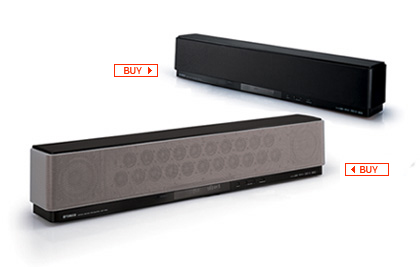
The Tweeter guy showed me the Yamaha YSP1 digital sound projector, the big brother of the YSP-800 I'm envisioning. I didn't pin down whether Tweeter sells the latter, or for how much. Best Buy does sell it, for around $800.

Polk Audio
PSW303B
I'd need a small, powered subwoofer. Polk Audio has a modest-sized one, the PSW303B, which Tweeter sells for $300.

The Tweeter guy also said a minimal delivery/installation charge (including putting together the shelf unit) would probably run me $150. That doesn't include anything other than hooking up the TV proper — not the YSP-800 nor any other gear — after installing it on its tabletop stand. Wall mounting would be considerably extra.

I forgot to ask about 0% financing: does Tweeter offer it; if so, for how long before interest is owed?

Then, of course, there are the necessary connecting cables. You can easily spend $150 at Best Buy for an HDMI cable. I'd probably need two of those, if not right away, at least eventually. But HDMI prices are more in the $30 range at Pacific Custom Cable. I've bought from them in the past, with no complaints. Doubtless, I'd also need some other doodads — so say $250 for cables and doodads, all told.

$5,000 for the TV. $900 for the furniture. $800 for the surround sound unit, plus another $300 for the privilege of hearing deep bass. $250 for cables and doodads. $150 for the delivery and installation. That comes to $7,400 before tax. With 5% added for sales tax, it's about $7,770!

Gulp!

Monday, June 12, 2006

My Bedroom: Crying Out for HDTV?

I've been putting off getting a new TV for the master bedroom of my house. Having sold my long-in-the-tooth Sony Trinitron XBR 27" CRT last year to make way for one, I have space for a set that is between 42" and 50" diagonally ... but what TV should I get?

I'd prefer a flat panel with a small footprint, made even smaller by possibly wall mounting it. A rear projector would likely occupy the entire top of its stand, front to back, leaving little room for home-theater speakers. My bedroom doesn't offer a lot of alternative front speaker positions other than right on the same stand (or, again, wall mounts).

Assuming I'm looking for a flat-panel TV and not a rear projector, I figure the model to beat could be the Pioneer Elite PRO-1130HD 50" plasma. Despite its hefty list price, $5,500, Randy Tomlinson's review in the March/April 2006 The Perfect Vision glows with admiration for it. Tomilinson says, "All things considered (except price), I haven't been more impressed with any plasma TV ... ."

There is also a 43" in the same line, the Elite PRO-930HD (MSRP $4,500). I'd prefer the larger, but might settle for the smaller to save $1,000.

Pioneer builds into these models such things as a "Crystal Emissive Layer," which, according to this online article, is "sandwiched between the plasma glass and individual light cells to increase the speed at which each cell is charged and discharged, resulting in better blacks with more details in dark scenes as well as an overall reduction in energy consumption."

For most plasmas — with the apparent exception of those from Panasonic and now Pioneer — the depth of blacks and the adequacy of shadow detail has always been Achilles' heel number one. But Tomlinson writes, "This Pioneer's black level passed the home-theater [i.e., totally unlit room] test as well as any other current plasma — Panasonic included. Blacks were about 75% lower than the 55-inch Hitachi [the very good plasma TV being used as a reference system]."

As for color renditions, these Pioneer Elite is virtually bang-on the HDTV standard's chromaticity specs for red, green, and blue primaries. That's when using PURE mode, one of five user-adjustable presets, others of which include STANDARD, GAME, and MOVIE. (In other preset modes, the PRO-1130HD apparently oversaturates greens and undersaturates reds, according to Tomlinson's review.)

Inaccurate primaries are not at all unusual. What is unusual in this TV is a user-selectable mode that gets the chromaticities right. Apparently plasmas, if they have enough smarts built into them, can overcome the off-standard native hues of their screen phosphors.


One other factor is crucial to getting colors right: a neutral grayscale that puts the "color of white" just where it belongs, at the chromaticity known as D65. D65 is sometimes (slightly erroneously) identified with the D6500 or 6500K "color temperature," but whatever it's called, the accuracy of a TV's white point is important. All colors are in effect computed from four anchor points: the white point and the three primaries. So if the white point is wrong, all the computations are wrong.

Few TVs get D65 right, right out of the box, without professional calibration. The Pioneer Elite gets tolerably close. Tomilinson, for instance, puts its MID-LOW color temperature setting at "about 6300K."

At that setting, he says there is also (alas) a "slightly greenish error." It, I assume, is something like that on my Hitachi 32HDT50 plasma in the basement — see Since When Is Black and White Green? The fact of this slight greenishness illustrates exactly why specifications of "color temperature" don't tell a TV's whole story, grayscale-wise, and chromaticity coordinates should be cited instead. The greenishness doesn't come from the difference between 63ooK and 6500K, as color temperatures per se. It comes from the white point being shifted, whatever its color temperature, away from true D65 and in favor of green.

For every chromaticity has its own "correlated" color temperature. This is, on the so-called "Planckian locus" or "black-body curve," the nearest "white" point to the chromaticity in question.

That curve is the graph of all whites emitted by ideal "black-body radiators" — special metal objects also called "illuminants" — that are heated to various absolute temperatures which are measured in Kelvins or K units. The chromaticity termed D65, though it is not smack on the Planckian locus, is quite close by. Its nearest black-body-curve point has the color temperature 6500K. (Actually, 6504K, but who's counting?)

CIE Chromaticity Diagram
But there are many other chromaticity points that have the same color temperature, and these can look noticeably greenish. For color temperature is a line on the CIE chromaticity graph, not a point. Each such line line crosses the black-body curve at a point which defines the line's color temperature. But the line is not a single chromaticity point. D65 is — as is, say, point D on the diagram to the right. That point is near the 6500K line, so that is its nominal color temperature.

(This diagram furnishes a workable definition for the term "chromaticity." It's any color within or on the edge of the shark-fin-shaped area of the CIE diagram, and it is exactly specified by a pair of coordinates. For example, x= 0.312713 and y=0.329016 are the coordinates of D65.)


The Pioneer Elite's white point at its MID-LOW color temperature setting, accordingly, is apparently shifted slightly away from D65 in the direction of green. But not to worry. This TV has a built-in "ISF C3" calibration capability that apparently lets you adjust the relative contributions of red, green, and blue color primaries to white, at both low and high brightness levels.

This is what professional calibrators, trained by the Imaging Science Foundation ("ISF"), do. They adjust the three primary colors ("C3") to produce whites and grays as close to perfect as can be achieved at every level along the available brightness scale from near-black dark grays on up to near-white light grays, and finally to so-called "reference white." With these Pioneer sets, you can do the calibration yourself!

ISF C3 is a function, I gather, of a particular submenu of the Pioneer's MANUAL color temperature mode — for more, see the technical discussion here, part of Al Griffin's review of the PRO-1130HD for Sound & Vision magazine, online here. Griffin writes: "The Pioneer PRO-1130HD's Mid-Low color-temperature mode measured close to the 6,500-K standard, but the set displayed a mild shift toward green at both ends of its grayscale. I was able to correct this, however, using the high and low red, green, and blue adjustments in the MANUAL color temperature mode submenu without having to enter any special service menus."

"After calibration," Griffin continues, "grayscale tracking was ±100 K from 20 to 100 IRE - an above-average level of performance." Griffin is talking about the IRE scale of brightness that runs from 0 (or sometimes 7.5) IRE for pure black to 100 IRE for reference white. 20 IRE is a very dark gray.


(Yet another useful review of this Pioneer Elite HDTV can be found here.)


Of course, to get the calibration absolutely right, you'd need professional instruments. Still, it's nice to know that you don't have to go into any super-secret "service menu" to play around with seat-of-the-pants calibration efforts, maybe messing up some important settings accidentally and irretrievably.

By the way, the PRO-1130HD also has still other user-adjustable color settings that tweak not only reds, greens, and blues, the three color primaries, but also the three color secondaries — yellows, magentas, and cyans — thereby to render every available hue just the way you want it. That's in addition, of course, to the ordinary color and tint controls.

To be quite frank, I'm not at all sure why taking control over the secondary colors is of great value. In theory, if you have the three primaries and the white reference right, all the other colors should fall right into place.

At any rate, what with spot-on primaries, a user-calibratable grayscale, and all the other user adjustments for color, one ought to get some stunning renditions. Add to that the excellent blacks and dark grays, and a superb picture is truly within reach.


And the renditions are indeed stunning, these reviewers say. Furthermore, the picture is easy to tailor. Griffin liked:

  • the "solid blacks and impressive shadow detail" that allowed the detection of "fine textures and hues in the grandparents' dark earth-toned clothing" on the Charlie and the Chocolate Factory DVD
  • the "very good detail" shown by picture highlights, "with a variety of creamy white tones coming through" to prove that the Pioneer does not "crush" high brighntesses near reference white
  • the Pioneer's "exceptionally clean and rich" colors
  • the TV's "perfectly natural" skin tones
  • its "great job of displaying the high-contrast environment inside a command center" on ABC's 720p broadcast of Alias
  • the fact that "the picture was extremely sharp" on that show
  • the way the Pioneer "cleanly rendered the medium's grainy image texture" on that show, which is shot on film: not "noisy or [with] a coarse quality," but "at once crisp and smooth"
  • the fact that most of the Pioneer's selectable aspect ratio modes, such as 4:3 and Full (16:9), "can be selected for both standard and high-def signals"; a lot of TVs won't let you, say, switch a high-def input's aspect ratio to 4:3 when that's appropriate for the source material
Tomlinson liked:

  • the TV's noise reduction feature (actually, two of them) which helped 480i inputs from a DVD player, and "even digital stations and HD"; the noise reduction, says Tomlinson, "seems to soften the picture almost imperceptibly," unlike that in many other TVs
  • the fact that "the Pioneer was even sharper than the [reference] Hitachi, and yet with less edge enhancement — something I hadn't expected"
  • the fact that "each of the factory-preset modes can be customized, and those custom settings are remembered when you switch modes or input sources"
  • The Pioneer's "remarkable resistance to false contouring" in the "Anglerfish" scene in Finding Nemo
  • though "some dithering noise near black" did show up in Nemo, "dark scenes in Vanilla Sky, which brought on some dreadful artifacts on the Hitachi, were flawless on the Pioneer."

Other features I especially covet on the Pioneer PRO-1130HD include the two digital HDMI inputs (even more would be appreciated) and its separate media receiver, detached from the display panel, to which various source devices' input cables run. That makes it easy to mount the display on the wall, if desired, since the cables between the receiver and the wall-mounted display panel don't change when you, say, hook up a new DVD player.

What I don't like about the PRO-1130HD — in addition to its steep price, that is — is that it's not 1080p. It's screen contains 1,280 pixels across, the same as 720p. Its 768 pixels vertically are just a tad better than 720p resolution. That's good, but not great.

Of course, as Tomlinson points out in his review, "at distances of 12 feet or more, you may not see any difference" between a 720p/768p 50" HDTV and a true 1080p. I'd be almost exactly 12 feet from my display as I prop myself up in bed to ogle it.


Actually, according to a "Tech Talk" piece by David Ranada in the same Feb./Mar. '06 issue of Sound & Vision, "Maxing Out Resolution," if you sit 10 feet or more from a 720p 16:9 display, your eyes are starting to lose picture detail. Or so the graph which Ranada provides suggests.

The article extends Ranada's "The Progressive Tradeoff" discussion of the previous month, which said, "Unless you have fighter-pilot vision — markedly better than the standard 20/20 — your eyes will be able to resolve an object only if it extends over 1/60 of a degree (1 arc-minute) or more, which is what a 1-inch wide object appears like when seen from 100 yards away."

That's 1/60 of a degree at the retina of your eye, or 1/60 of a degree "out there" in your field of view. Any detail which subtends a smaller arc than that will simply not register. So at a viewing distance of just short of 9 feet, "a 50-inch (diagonal) 720-line widescreen HDTV will give you all the resolution you can use."

Yes, there's a minor discrepancy here. One time, the magic distance seems to be 9 feet for 720p; the next time, its 10 feet. But the principle is clear. If you sit too close for the screen's resolution, the image starts to appear soft and it becomes possible to notice individual pixels. If you sit too far away, you effectively leave picture detail behind at your retinas.

According to Ranada's graph, the magic distance for a 50" 1080i/p 16:9 TV is about 6 to 7 feet. Any seating distance beyond that loses effective resolution. Somewhere between 9 and 10 feet, you can no longer tell the difference between 1080i/p and 720p.

Moral: if I put a 50" plasma in my bedroom 12 feet from my accustomed propped-up-in-bed viewing position, it might as well be 720p as 1080p.


Word has it that Pioneer and rival makers are set to introduce true 1080p plasma HDTVs real soon now. In fact, for a cool $10,000, I could buy Pioneer's 50" Elite PRO-FHD1 monitor, "available June 2006," about which I know very little as yet.

I do know that it's not equipped with a digital television tuner, as the PRO1130HD is — which is why it's a "monitor." (I care little about an onboard tuner, since I get my TV signals from cable.) It has the ISF 3C calibration capability, I see.

I assume that as 1080p plasmas come, they'll be even pricier than the PRO-1130HD. (In fact, Pioneer may at that point be forced to drop its price on what will be a last year's model.) I also assume Pioneer's 1080p plasmas will include at least one model with the picture quality and advanced features of the PRO-1130HD, making that model the one to beat in my bedroom-TV search!


What about sound, though? I don't fancy cluttering up my already-cluttered bedroom with a full-blown surround system requiring a minimum of 5 speakers plus subwoofer. A better solution appears in the selfsame Feb./Mar. '06 issue of Sound & Vision, a "Quick Take" on One-Box Surround: Yamaha YSP-800 Sound Projector. (The Yamaha web site says this about the unit.)

Yamaha YSP-800
This is, in fact, a 1-piece "digital sound projector" which, when paired with a powered subwoofer, gives you close to a 5.1-speaker audio experience. About 6" high and less than 32" wide, it can be placed on a shelf in front of a flat-panel display, or on a shelf below it, or (with optional wall-mounting bracket) on the wall above it. Like a digital A/V receiver, it receives audio inputs from various source devices such as a DVD player or cable-TV box. It processes them, amplifies them, and plays them through an array of 21 tweeters and 2 woofers. (The sound intended for the subwoofer is output on its own dedicated connection.)

It accepts both analog stereo and digital audio inputs, either optical or coaxial. "Sound beams" are derived, some of which are bounced off the walls of the room to simulate surround sound.

The reviewer, Ken C. Pohlmann, says the result is quite close to 5.1 surround, except that no sound comes from in back of you — only from the sides. I can live with that.

Monday, June 05, 2006

Cinema Resolution

It's a legitimate question: how does the resolution of HDTV at 720p, 1080i, and 1080p compare with what we see in the cinema?

720p, for example, provides 720 rows of pixels, each row containing 1,280 pixels, in an image whose width-to-height ratio is 16:9. The horizontal resolution in "TV lines" (TVL) is 1,280 times 9/16, or 720 TVL. The number of TVL (720) is the same as the number of pixel rows because the pixels are square.

Meanwhile, experts agree that the best, most detailed film elements contain enough fine-detail information to make "2K," "4K," and even "6K" scans worthwhile, when film is being transferred to video by the latest and greatest in film scanning equipment. A 2K scan has 2,048 pixels per row, which at a 16:9 aspect ratio comes to 1,152 TVL. 4K doubles that to 4,096 pixels per row, or 2,304 TVL. And 6K scans yield fully 6,144 pixels per row, or 3,456 TVL.

So one might think that what we see at the local movieplex has resolution that good. But maybe not. According to a SIGGRAPH course called "The Technology of Digital Cinema," “Because of the statistical nature of frame unsteadiness and its attendant resolution loss, the vast majority of motion-picture viewers have been enjoying their
entertainment experience with a good deal less than 700 TVL ... .”

This is a quote from A. Kaiser, et. al., in ”Resolution Requirements for HDTV Based Upon the Performance of 35mm Motion-Picture Films for Theatrical Viewing,” SMPTE Journal, pp. 654-659, June 1985. It seems to be saying that film as projected has a lot less resolution than film per se does.

Not only does "frame unsteadiness" or "image unsteadiness" contribute to that resolution loss, so too do things like "MTF generational loss." MTF is short for "Modulation Transfer Function," the source of an unavoidable loss of detail that occurs any time an image is focused through a lens (see this excellent explanation for more about that topic).

When film is duplicated from its highly detailed original camera negative, going through interpositive and internegative generations en route to making a release print, there are multiple opportunities for MTF to blur the results. Then there's the MTF of the projection lens to consider, and, as noted, the "frame unsteadiness" or "image unsteadiness" that arises because (among other reasons) sprocket holes can be punched in the film with only so much precision.

So, if A. Kaiser is to be believed, the resolution that greets your eye on the screen at the local Bijou is generally less than that of 720p HDTV.

That in no way means that when the film comes out on HD DVD or Blu-ray high-def discs, it won't have all the resolution it nominally should (1,080 TVL). To the contrary, if it is a recent film, it will probably have been 2K- or 4K-scanned from the original negative, or at worst a first-generation interpositive, which provides all the resolution anyone could ask for. Some of that plethora of detail will in fact disappear in the downconversion to a 1080p/24 video master. Even so, with 1,080 TVL, the video master and the eventual hi-def DVD will out-detail anything you typically see at the movies.

Wednesday, May 31, 2006

More Plasma Anomalies

As I said in an earlier post, my 32" Hitachi plasma can make black-and-white material look faintly greenish. That's not its only oddity, though. The amount of faux greenishness increases with decreasing settings of the color control (as I also reported). And reds tend to look orangish — not a true, satisfying red.

An article by HDTV expert Peter H. Putman, "The Plasma Doctor Is in the House," may explain this last anomaly. Putman says plasma panels, otherwise known in the trade simply as "glass," emit light when their constituent color phosphors are "tickled" by bursts of ultraviolet energy. The UV bursts come with an extra dollop of blue, UV's next-door neighbor in the color spectrum. To counteract the skew toward blue, plasma panels incorporate "capsulated color filters" that are designed in to restore a semblance of CRT-like hue.

"Other schemes have been tried to produce CRT-like phosphor response," Putman writes, "but the effects of UV color shift are still apparent with reds (they appear orange), greens (more of a lime green than a kelly or hunter green), and yellows (frequently shifting to a lemon, rather than an amber color)."

I'm not clear on whether the orangish reds come directly from the UV shift or from the wee color filters that are inserted in the light path to compensate for that shift. Whichever, it's clear that color on plasma TVs is a complex beast indeed. We're lucky it looks as much like CRT color as it does. (A CRT, for those not in the know, is a "cathode ray tube" — an old-fashioned picture tube, in other words.)


Putman also says that plasmas use "pulse-width modulation" to control how much light each phosphor emits: "a technique in which rapid on-off cycles can determine levels of luminance. The ratio of on cycles to off cycles within a given time interval translates into a specific luminance level."

(Here, "a given time interval" means a very tiny fraction of a second. Your eye can't actually see the on and off cycles, rest assured.)

Hence, says Putman, "on some panels, you may observe a color shift as brightness levels increase. The PWM method of simulating analog response works pretty well — my new GE electric range uses it to provide more control over the heating elements — but even PWM has its limits."

Translation: plasma display panels exhibit "non-linear response to changes in luminance levels. While a CRT is a purely linear display (small changes in driving voltage result in equivalent changes in anode current and brightness), a PDP is not." That's why it's apparently necessary for the user to lower the PDP's contrast setting below what the eye might ordinarily prefer. Otherwise, "you may observe a color shift as brightness levels increase."

I didn't mention it in my earlier article, but on my Hitachi plasma, the greenish tinge I see on B&W material seems to be more noticeable at high brightness levels than in relatively dark scenes.


None of this explains why my Hitachi's intrinsic grayscale calibration seems to vary with different settings of its color control — except to imply that with all the tweaking that is done in designing a plasma TV to get its hues even close to CRT-like, it's no surprise that there would be unsuspected interactions among the various user settings like contrast and color.

Another thing the Putman article reveals is that the process of calibrating a plasma's grayscale properly requires (a) a lot of hard-won expertise, compared with standard CRT calibrations, and (b) "a color analyzer with look-up tables for the specific phosphors used in each panel."

The specific-look-up-tables part seems to mean you can't use the generic look-up tables that normally come with a color analyzer, which is an instrument that objectively measures colored light sources.

"Chances are," writes Putman, "your panel came from one of these places: NEC, the Fujitsu-Hitachi plasma factory, Pioneer or Panasonic. (Although there aren't a lot of them out there yet, you will soon see panels coming from LG/Zenith and Samsung, and these will require their own phosphor look-up tables.) My FSR color analyzer is loaded with specific phosphor tables for each of the models listed (even the different phosphors in the Pioneer PDP-502 and PDP-503), thanks to Cliff Plavin of Progressive Labs, who took the individual measurements."


The expertise part comes in especially handy in performing the initial setup for the calibration process proper, in which you have to adjust the set's brightess and contrast controls to bypass the nonlinearities in light output spoken of earlier.

Both parts seem to suggest that, for us plasma TV owners, the idea of having our sets "professionally calibrated" — at no insignificant cost to us, I might add — may be fraught with danger. What if we happen to get a cocksure calibrator who's blissfully unaware of the pitfalls Putman has laid out? Or, what if the calibrator's ideas of proper brightness and contrast settings disagree with our own, such that when we readjust these variables after he leaves, his carefully metered grayscale goes totally kerflooey?

I'm not sure I'd even want a calibrator that doesn't have Cliff Plavin's home number in the directory on his cell phone, at any rate.

Sunday, May 28, 2006

1080p from High-Definition DVDs?

Now debuting: two, count 'em, two, mutually incompatible formats for high-definition DVDs: HD DVD and Blu-ray. These are the first two commercially available standards for video discs whose players (not the old-style DVD players we have now) will play the new discs into a suitable HDTV with all the resolution the TV can reproduce.

As long as, that is, the HDTV does not utilize the gold standard of high-definition television display: 1080p resolution. The initially available HD DVD players don't output 1080p. And it's not absolutely clear which, if any, of the Blu-ray players we're eagerly awaiting over the next few months are going to deliver 1080p.

In the last year or so, TVs whose "native" resolution is 1080p have sprung up, big as life, and taken a noticeable slice of the market. Their screens offer fully 1,080 rows of 1,920 pixels each, yielding the best spatial resolution available in consumer video history: roughly two million pixels overall on the screen.

1080i, the standard in use by many over-the-air HDTV broadcasters, has the same number of pixels as 1080p, but only half of them actually change with each screen update: first the odd-numbered rows, and then, a fraction of a second later, the even-numbered rows. This alternation of scan lines is "interlaced scanning," the origin of the "i" in 1080i.

In 1080p — "p" for "progresive scanning" — the entire pixel array gets updated, every time. Motion is smoother. Jaggies at the edges of moving objects, "twittering" scan lines, and now-you-see-it-now-you-don't tiny details — symptoms experts call "interlace artifacts" — are pretty much history.


So, do HD DVD and Blu-ray support 1080p?

The answer is, alas, complicated. In order to get 1080p to your eyeballs, you need at least four things:

  • a disc encoded at 1080p
  • a DVD player that can output 1080p to the TV
  • a TV that can receive 1080p from the player
  • 1080p native resolution at the TV screen

Reportedly, most HD DVD and Blu-ray discs encode their main content, usually a movie, at 1080p, so no worry there.

Any TV which is advertised as 1080p-capable must have that as its native screen resolution, so this is not a huge problem (as long as you happen to own such a TV).

But most of the initial crop of "1080p" TVs cannot actually receive 1080p signals; 1080i is their maximum input capability. (That situation may have changed with the most recently introduced 1080p TVs, however.)

What's more, few if any of the initial HD DVD players actually output 1080p. (That may not be as true for Blu-ray; see below.) They convert the 1080p on the disc to 1080i, and ouptut that. The 1080p-native TV receives the signal as 1080i and deinterlaces it for display on the screen. The interlace-deinterlace sequence can introduce pesky artifacts.


Foolish, right, for HD DVD players not to support full-fledged 1080p output from the get-go? Well, part of the reason for the foolishness is that 1080p must travel between the player and the TV, if at all, along an HDMI cable. HDMI is a standard for the transmission of video data, audio, and other digital goodies between source devices such as DVD players and TVs. It uses HDCP copy protection to keep anyone from intercepting the digital stream and diverting it to their own (illegal) advantage — so it's very, very complicated.

But HDMI/HDCP's originally-strictly-optional ability to transmit and receive 1080p is just now actually appearing in consumer electronics gear for the first time. The initial HD DVD players are meanwhile sticking with an older, non-1080p implementation of HDMI.

For instance, one of the very first HD DVD players is the Toshiba HD-A1. According to Amazon.com, it can output either 720p or 1080i at its HDMI connection. No 1080p.

As for Blu-ray, it looks as if at least some of the initial player models will output 1080p on HDMI. For example, the yet-to-arrive (as of early June, 2006) Sony BDP-S1 will reportedly do so.


Another complicating factor: there are different flavors of 1080p, distinguished by their frame rates. How many frames of video per second are going to be transmitted? There are at least three popular answers: 24, 30, and 60.

24 fps (frames per second) matches the rate at which movies are shot. Hence, most HD DVD and Blu-ray discs are encoded at 1080p/24.

30 fps is typical of television broadcasts, both standard definition and high. If they're 1080i hi-def, as opposed to 720p, they are more precisely 1080i/60, not 1080i/30, since there are two interlaced "fields" per frame, one for the odd-numbered scan lines and one for the even. With interlaced transmission the number after the '/' is the field rate, not the frame rate ... and by the way, often the '/' is omitted: you'll see "1080p24," "1080i60," etc., instead of designations with slashes.

So the frame rate of 1080i/60 is actually 30 fps. 720p high-definition television (1,280 pixels across the screen by 720 vertically) doubles that frame rate to 60 fps: 720p/60. In 720p there are fewer pixels per frame than either 1080i or 1080p, but they're updated twice as often as 1080i/60. 720p is excellent for fast-action sports.

1080p/60, with 60 full frames every second, is another flavor of 1080p. Some current and/or soon-to-come "1080p" TVs apparently will accept 1080p/60 input, which can happen if the DVD player converts 1080p/24 to 1080p/60.

(Today, it's not easy to find out such precise frame-rate details about TVs and DVD players. Here's hoping that changes soon.)


What if the TV can only display 1080p at 30 fps or 60 fps, not at 24 fps, and what's on the disc is 1080p/24? Then either the player or the TV (typically the player) must perform a conversion. Again, as with any type of scan conversion, there is a potential for visible artifacts to result.

In this situation, the main reason for artifacting is that 60 is not an even multiple of 24. Neither is 30, for that matter. If 1080p/24 on DVD is converted to 1080p/60, or 1080p/30, or even 1080i/60, some frames in the output video will necessarily be interdigitated hybrids of two source frames, which can lead to ragged edges on moving objects. Or else the 24 input frames per second will be parceled out to varying numbers of output frames, some to one and others to two, making for jerky motion.

To avoid such motion artifacts, the TV ought to be able to operate at a 1080p frame rate that is an exact multiple of what's on the disc: say, 72 fps. 48 fps would work, too. And incidentally, the rate at which the TV "paints" frames on the screen is its "refresh rate," and is stated in Hertz or cycles per second. 48 frames per second is 48 Hz. 72 fps is 72 Hz.

A 24-Hz refresh rate with a one-to-one correspondence of output frames to incoming 1080p/24 frames would not work well, unfortunately. It would produce annoying flicker on any bright video display screen. (The reasoning is similar to why motion pictures are projected with each frame illuminated twice in 1/24 of a second.)

Ideally, the player would supply the TV with 1080p/24, and the TV could convert it to, say, 1080p/72 (or 1080p/48) to avoid the flicker common when bright video displays use a 24-fps refresh rate. The conversion from 24 to 72 frames per second is straightforward and does not produce visible artifacts.


Just the ability to learn such details about 1080p-native HDTVs and the initial crop of HD DVD and Blu-ray players ain't easy. And let's face it, the ideal hookup as I envision it will look only a smidgen better than converting 1080p/24 on the disc to 1080i/60 for HDMI transmission to the TV, assuming the TV could handle it, and then to (say) 1080p/30 for display on the TV screen at its native resolution. You'd have to be some kind of purist to even care, right?

Well ... as the incipient high-definition DVD format war heats up, we shall see whether people really do care, shall we not?

After all, all the early adopters who spend the big bucks now, at the dawn of hi-def DVD, may find later that waiting a few months, while all the pieces fall in place for an end-to-end 1080p DVD experience without unnecessary artifacts, would have given them a better picture for little if any extra cost.

They're sure to be miffed, right?

Don't say I didn't warn them.

Wednesday, April 19, 2006

Since When Is Black and White Green?

I think I've just figured out something that's been bugging me since I succumbed to temptation and bought a couple of HDTVs a couple of years ago. Especially on my Hitachi plasma in the basement, and less so on my Samsung DLP rear-projector in my living room, black and white programs can look distractingly greenish.

Such anomalies can often be laid at the doorstep of an inaccurate "grayscale"; indeed, that's the first reasonable explanation. Grayscale calibration means using test signals and expensive instruments to eliminate the inaccuracy by balancing the three primary colors — red, green, and blue — at every possible brightness level of the TV picture, so that the entire grayscale of the TV is pleasingly neutral in color.

Beware: grayscale calibration, if needed, is best done by a professional technician using state-of-the-art instruments.

For reasons I won't go into here, I had a bad experience trying to get professional grayscale calibration for my TVs. It never happened.

At any rate, recently I chanced to watch perhaps the first program I've ever seen on a high-definition channel in black and white: "Roy Orbison and Friends: A Black and White Night." (The show was recorded perhaps a year before the great singer-songwriter's untimely death from a heart attack in the late 1980s. The "friends" included a young Bruce Springsteen, Elvis Costello, Bonnie Raitt, k. d. lang, and a number of other music biz luminaries. Apparently it was taped in an early hi-def format. Great stuff technically, musically, and nostalgically.)

So this piece of hi-def, if B&W, gold showed up on my Samsung's screen with nary a trace of green!

That's chapter one. Chapter two: the same show was broadcast by my local PBS station during a pledge drive a few weeks ago. It was in standard definition this time. I watched it on my basement plasma, not my DLP, and it looked distressingly, disappointingly green.

Fortunately — and this is chapter three — it was even more recently shown yet again on INHD (or was it INHD2?) in hi-def, and when I watched that transmission on my plasma, no green tinge was apparent. The TV's grayscale appeared to be spot on, with no tint in sight.

Thus when a B&W show comes into my digital-cable DVR box over a standard-def channel, such as that of my local PBS affiliate, it can betray a green tincture. When the same show comes into that same DVR box over a hi-def channel such as INHD or INHD2, there can be no tincture. (In both cases my DVR box sends its output signal to my plasma TV over a digital HDMI/DVI connection, by the way, so the difference has nothing to do with the signal pathway.)


Oddly enough, I think I can explain this anomaly.

The explanation has to do with how TV signals are packaged. With the advent of color TV way back in the 1950s, there had to be tricks by which the three color primaries of red, green, and blue could be mixed to make a suitable black and white picture, if only for the benefit of the many existing non-color TV sets. The resulting signal was called "luminance," or Y. After it had certain other necessary processing steps applied to it, it was subsequently called "luma" or Y' ("Y-prime").

Luma or Y' is the sum of fixed proportions of the three chroma signals R', G', and B'. They in turn are derived from R, G, and B — shorthand for red, green, and blue.

The trouble today is, the fixed proportions of R', G', and B' that are used to compute Y' are different for HDTV than for standard-def TV.

Other things being equal, an HDTV set that expects any signal it receives to conform to the new HDTV luma-encoding standard will do strange things when the signal was actually encoded for SDTV-style luma.

In order to drive its tri-color screen, the HDTV will take apart the luma component — with the help of two "color difference" components it also sees, R' - Y' and B' - Y' — to get R', G', and B'. But if the luma was encoded with SDTV's version of the numerical coefficients, the HDTV will forward too much of the received luma component to the green sub-image of the overall picture, and too little to red and blue. Or so my reasoning goes.

That can turn Peter Lorre's frightened face in Casablanca a tad greenish. It can make Roy Orbison's famously tinted glasses on "Roy Orbison and Friends: A Black and White Night" really tinted.

(For techies, the difference in the two forms of luma encoding, one for SDTV and one for HDTV, can be researched by looking up "Rec. 601," a nickname for ITU-R Recommendation BT.601, the international standard for television studios' non-HDTV digital signals, and "Rec. 709," a nickname for ITU-R Recommendation BT.709, the international standard for television studios' HDTV digital signals. These two standards specify other things besides techniques for luma encoding, but luma encoding is one of the biggies. You can begin your research with this Wikipedia article. Note that the relevant SDTV standard is sometimes called by an earlier name, "CCIR 601.")


It is apparently easy, given equipment that can accomplish the task, to convert between the two luma encodings. That's how the same program could wind up with two different encodings, one on the high-definition channel and one on the standard-def channel. Engineers at the TV studio might apply the requisite conversion matrix — mathematics embodied in electronics — and voilà.

My plasma TV seems to be capable of reversing the process — but only when the signal reaches it in analog form via its component video or "YPbPr" input. In that case alone, the TV offers a user menu item which purports to let me switch between luma encodings manually.

Unfortunately, the same is not true of the digital connection I'm actually using between the cable DVR box and the TV. There, the signal comes out of the cable box's HDMI (High Definition Multimedia Interface) port, passing through an HDMI-to-DVI adapter into the realm of Digital Video Interface, or DVI, the digital video format that my two-year-old TV model is actually capable of receiving. DVI uses digital video signals exactly like those used for HDMI.

Such all-digital signal pathways into the TV simply assume the signal needs no conversion — or if it does, it takes place in the source device, in this case the cable box, prior to HDMI or DVI transmission. That's apparently why the TV, in its user menu, offers no color-encoding selection option for DVI.

* * *


Since filing the above I have done a little more experimenting with my Hitachi plasma TV. I now find that there undoubtedly exist more than one reason why black and white material can appear greenish.

I've recently purchased a four-DVD collection of the old British mystery movies starring Margaret Rutherford as Agatha Christie's amateur sleuth, Miss Marple. From the early 1960s, they're all in B&W. Played into the Hitachi via YPbPr (i.e., component video) from my Bose Lifestyle system's control unit, or via S-video from my Samsung DVD player, the first movie in the series, Murder She Said, exhibits an interesting anomaly. In the middle of one particular scene, at a transition to a new camera shot, the B&W picture changes from not greenish at all to just faintly greenish!

I'm not sure I can confirm this effect on my other HDTV, a Samsung DLP rear projector, using a different DVD player. It is, after all, quite a subtle effect. But it does show up big as life, in my iMac's DVD Player software, so I don't think I'm imagining it.

My best explanantion: I expect there is information recorded on the DVD which triggers a change in (I'm guessing) the so-called color space (Rec. 601 vs. Rec. 709) the DVD player is supposed to use when it decodes the DVD. The digital picture information on a DVD is, I'm aware, accompanied by a raft of on- or off-bits which tell how the video was recorded, how it should be played back, etc. Maybe during the authoring of this DVD a crucial flag was changed at the transition in question. Maybe some DVD players take the change into account and some don't.

As I said earlier, my Hitachi plasma's user menu allows me to change color spaces only for its YPbPr input, not for DVI or S-video input. In general I find that forcing its YPbPr color-space decoding method to that for Rec. 601, or SDTV, does indeed make a very slight difference in a B&W DVD being sent to the TV from the Bose player. It adds quite marginally to the greenishness ... but not enough to account for all the greenishness I see!


I also find that, strangely enough, adjusting the Hitachi user menu's color control affects the greenishness of a B&W picture! When the color setting is lowered, the greenishness of B&W increases. When the color setting is raised, the greenishness (almost) goes away. Furthermore — and this is really strange — this color-setting dependency applies to YPbPr when the Pb and Pr input cables are both disconnected(!), such that the only input the TV receives is the supposedly colorless Y, or luma, signal.

Which suggests that the TV's internal color decoding algorithms do some odd things. You would think — obviously erroneously — that the luma signal would be treated the same, no matter what setting the color control has, since color (chroma; Pb and Pr) and black-and-white (luma; Y') are nominally independent. So if the B&W picture were on the greenish side with one color setting, it would be equally on the greenish side with another. But no! There's a clear-cut difference in the greenishness at different color settings.

That suggests that maybe I've been too hasty in dismissing the possibility (see above) that I ought to have my Hitachi professionally calibrated.

Yet, if my Hitachi is capable of, in effect, changing its calibration settings when the user color setting is altered, I wonder how much good professional calibration would do. I envision the calibrator being totally stumped by the TV's complexity — "They sure didn't tell me it could do that in calibrating school" — and telling me that compromises must inevitably be made. Live with it.


By the way, I think I can conclude from the foregoing that the Murder She Said DVD, at least prior to the camera-shot transition mentioned above, causes signal information to be put out on the Pb and Pr (i.e., chroma) channels such that the Y or luma signal is modified to offset what would otherwise be a greenish tinge. After the transition, perhaps the compensating Pb/Pr signals disappear, and there is greenishness. As I say, this change happens also in my computer software DVD player.

So there may be several possible sources of greenishness in a B&W picture:

  • the DVD player or other source device using the wrong color-space decoding parameters, i.e., Rec. 601 rather than Rec. 709
  • inaccurate TV grayscale calibration
  • other oddities in the TV's color-decoding methodolgy
  • oddities in how the DVD was authored or the source program was broadcast
  • and perhaps many others

If that's so, I can only conclude that TV in the digital age is so complex that it's almost impossible to get a "perfect" picture, if by "perfect" you mean a B&W rendition that is totally free of tint.

Monday, February 06, 2006

Super Bowl XL

I've been neglecting this blog. What better way to get back into it than to cheer yesterday's high-def Super Bowl XL telecast by ABC.

The play on the field was suspenseful, if not artful. The team I was rooting for, the Steelers, won.

The announcing by the team of Michaels and Madden was competent and professional.

The picture and sound were excellent in 720p on my 720p-native Samsung DLP.

The commercials were entertaining, a few even memorable. (My problem is that I'll remember the ad but not necessarily the sponsor. Which airline was it that showed a just-fired-by-phone employee taking a last-minute flight to the city where his mealy-mouthed boss was addressing a business convention, so that he might — heh, heh — tackle his ass right off the podium?)

And the Rolling Stones, however aged, were gratifying to see at halftime, to this geezer who was at an early concert of theirs when "I Can't Get No Satisfaction" was a hit. As Mick Jagger said, it could have been performed at Super Bowl I. Also gratifying was that "Start Me Up" and "Rough Justice," the other two songs they performed, were bleeped. Shows you that some things never change ... the Stones had to self-censor "Let's Spend the Night Together" in order to be permitted to do it on Ed Sullivan, back in the day.


I was actually sick in bed, or almost in bed, and I didn't go out or have buddies over. So I appreciated having Comcast's HD DVR cable box to record the game to. I went to bed for real just after Mick and Co. were done, got up in the night to watch the third quarter, went back to bed, and then watched Quarter Number 4 in the A.M. before breakfast.

It's a good feature the DVR box lets you start a recording from a live broadcast already in progress and then lets you edit the recording options on the fly so that you record beyond the ostensible end of the game, which was set for 9:45 in the DVR's onboard program guide. I set the DVR to record an extra hour, until 10:45, and I was glad I did because the game didn't end until after 10:00, if I have that time right.